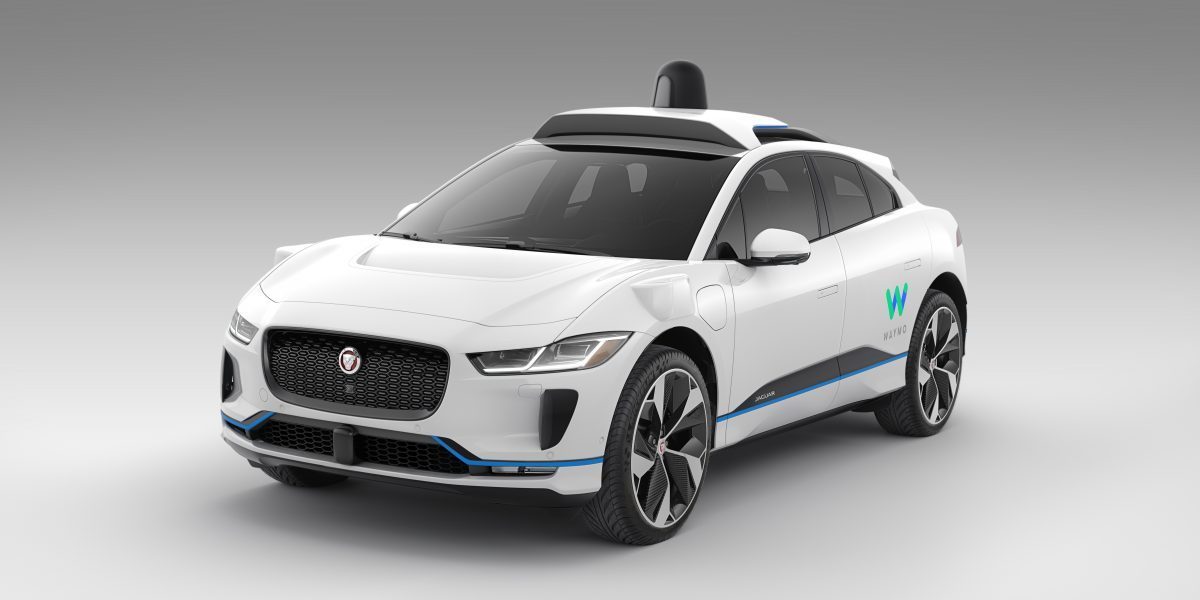
● Unlike geometry, a computer natively understands algebra
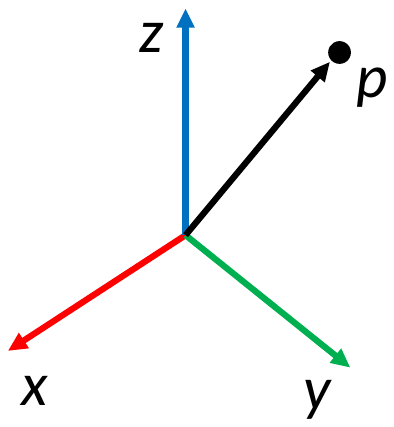
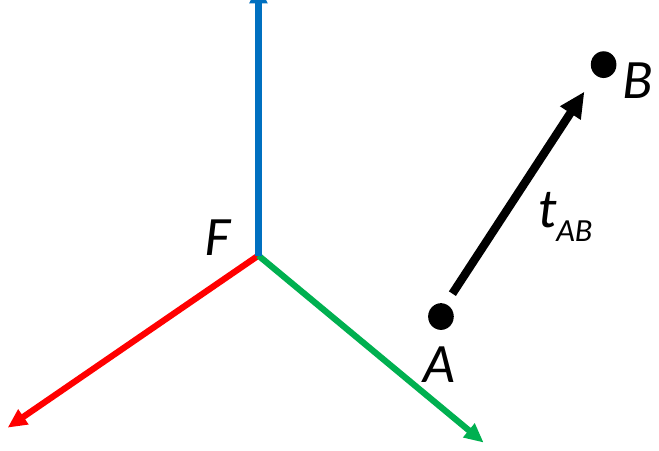
Try it: a point and a frame
Move or turn the frame, and P gets new numbers, even though P has not moved.
Frame F
Point P, in the world
7
EECE 5550 Mobile Robotics
6
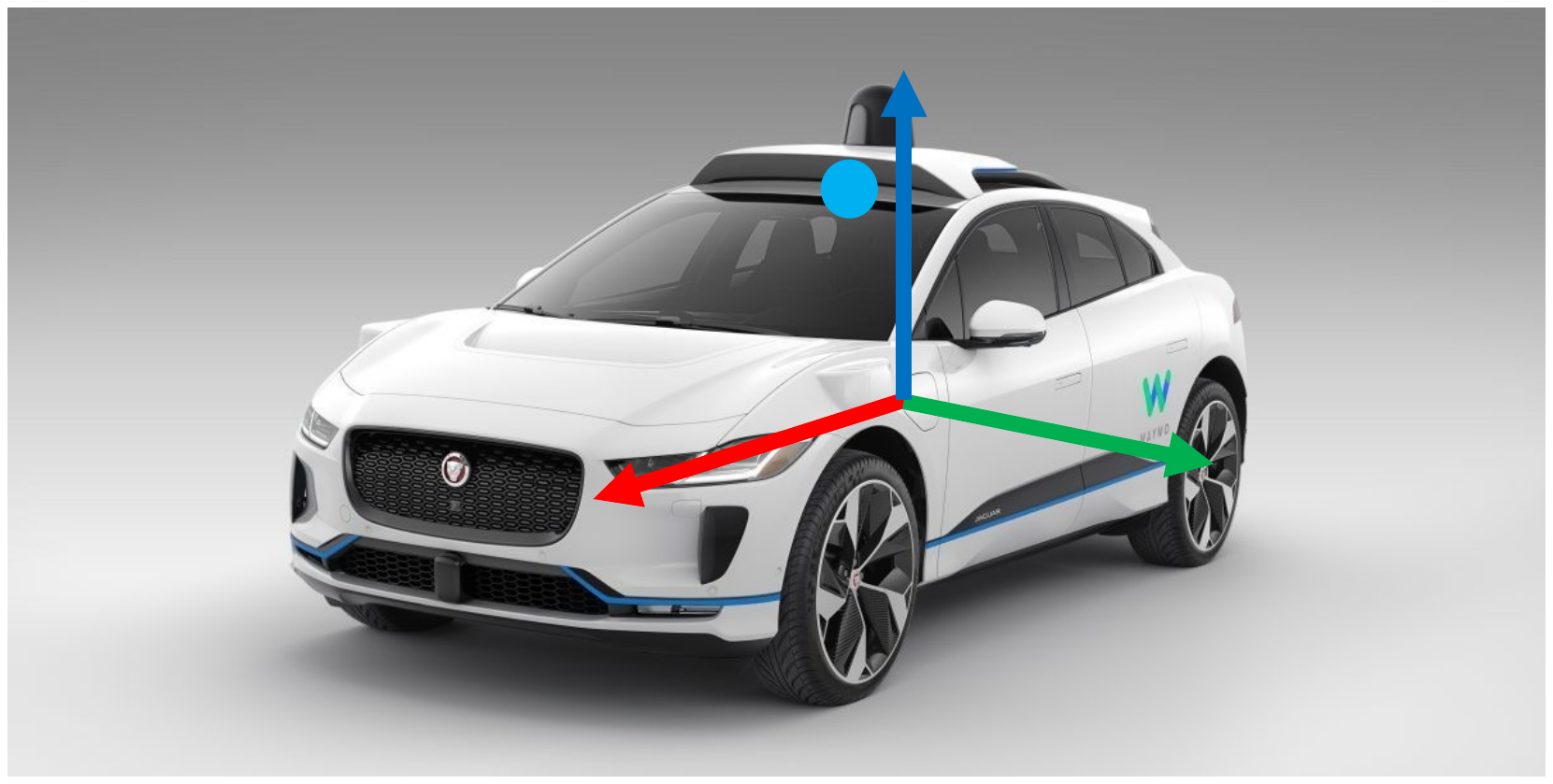
Coordinate systems: the bane of all roboticists
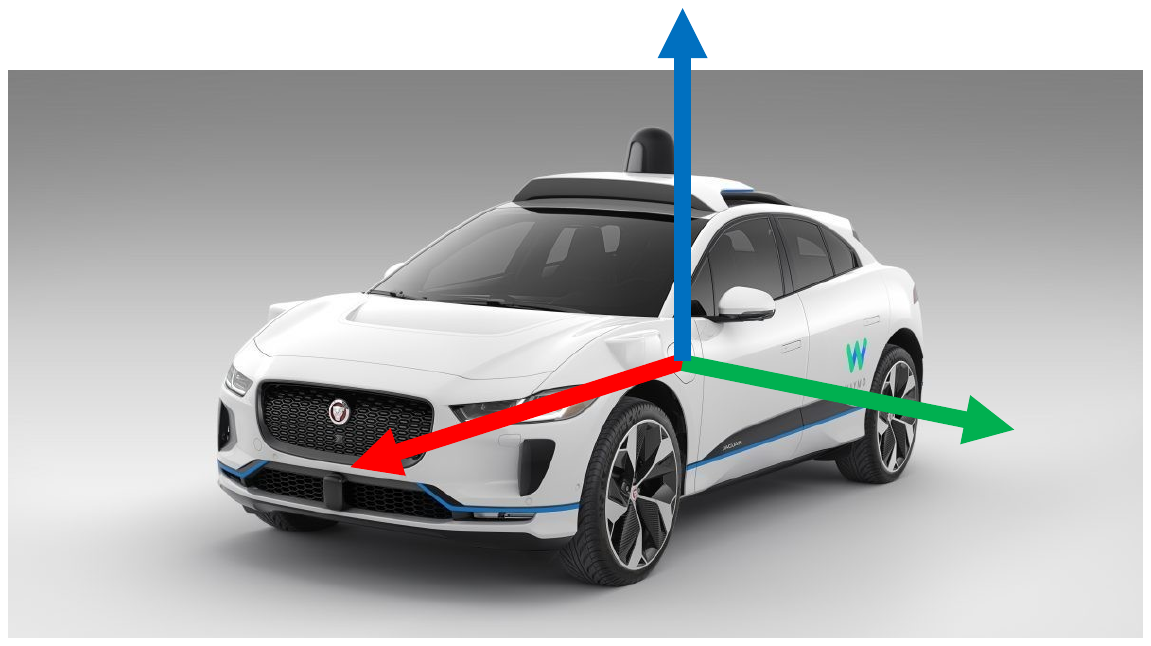
Where is the point x = [1, 2.5, 2.5] with respect to the car?
EECE 5550 Mobile Robotics
7
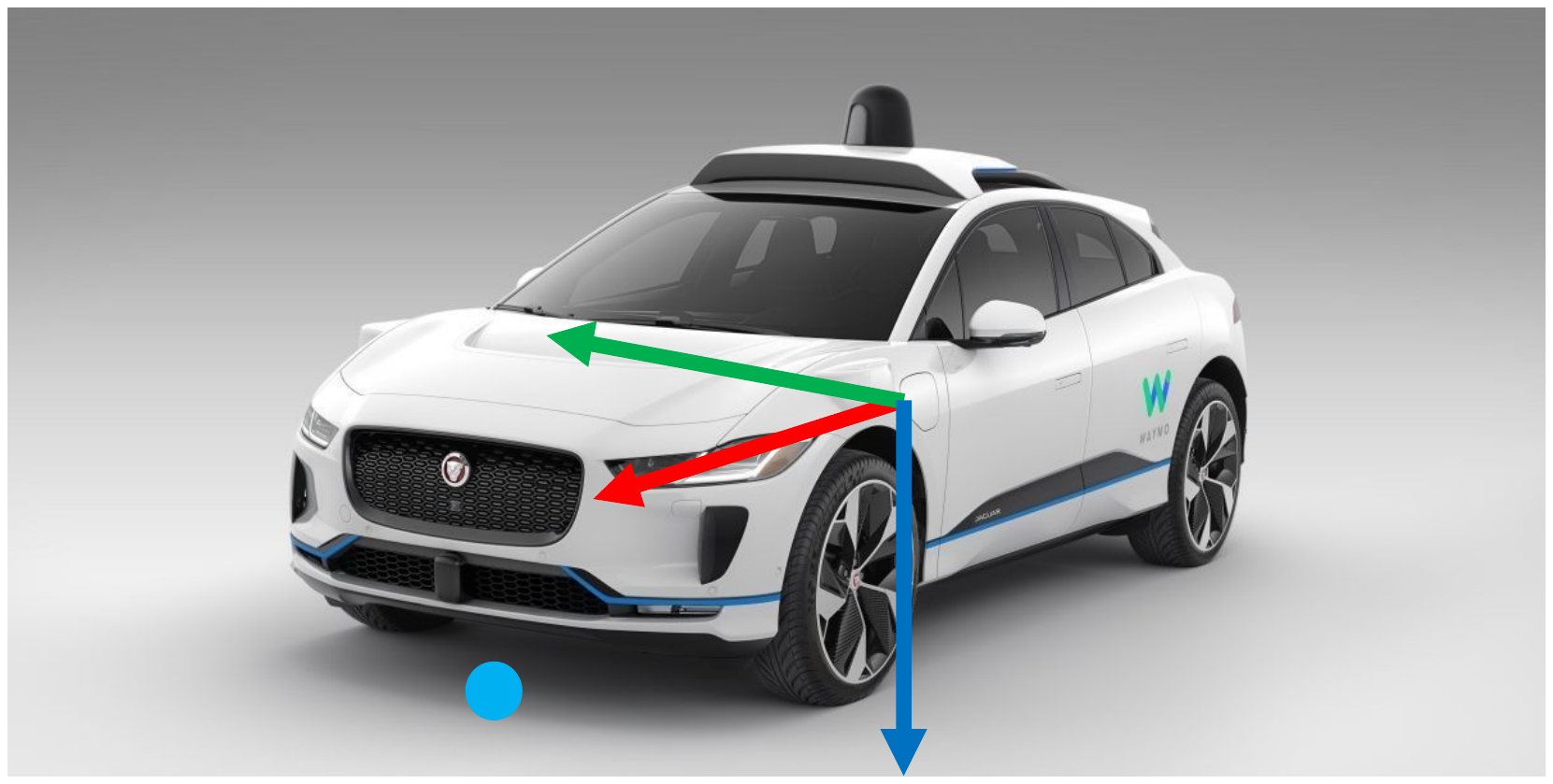
Coordinate systems: the bane of all roboticists
Where is the point x = [1, 2.5, 2.5] with respect to the car?
EECE 5550 Mobile Robotics
8
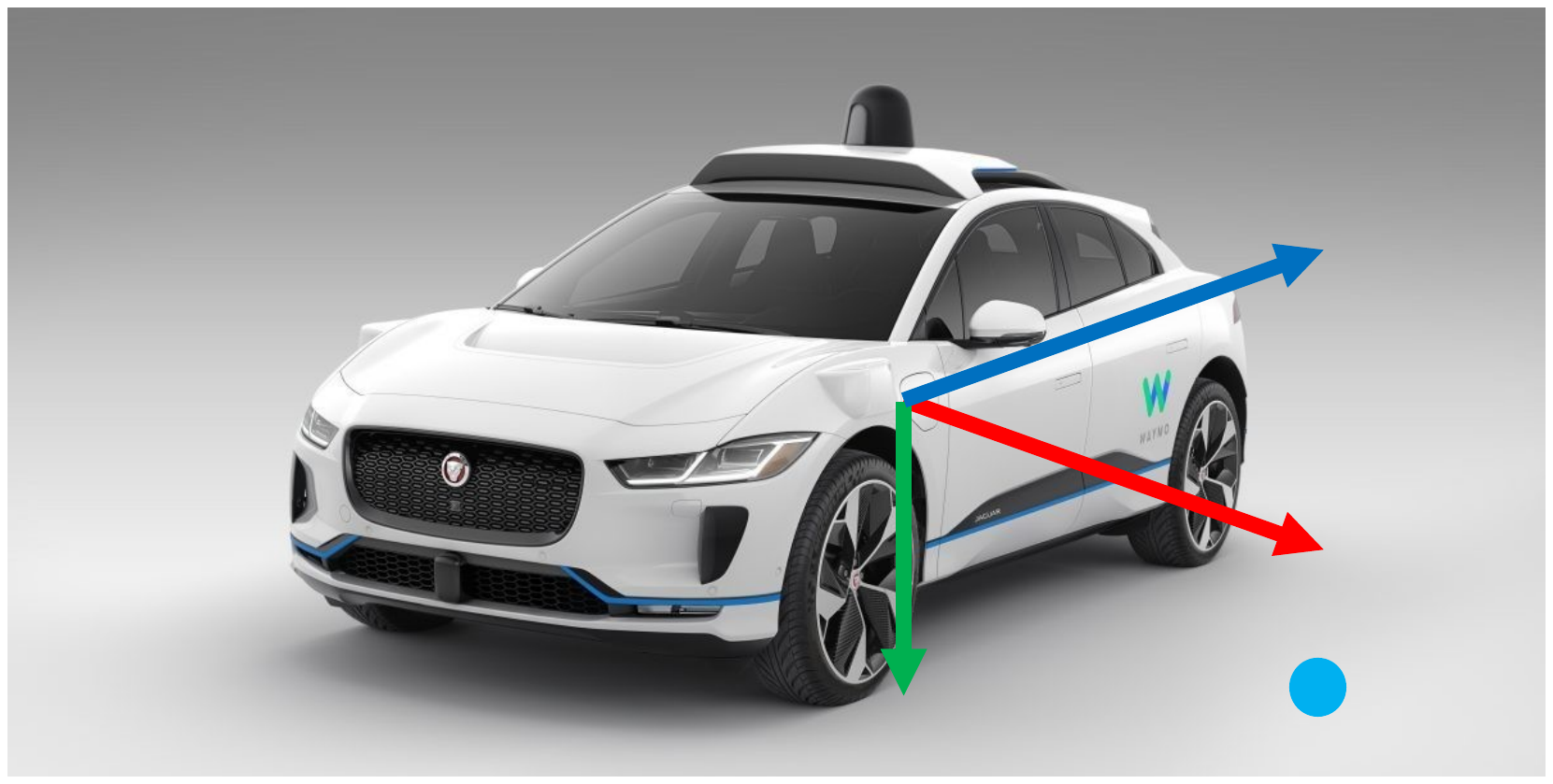
Coordinate systems: the bane of all roboticists
Where is the point x = [1, 2.5, 2.5] with respect to the car?
EECE 5550 Mobile Robotics
9
Coordinate systems: the bane of all roboticists
Where is the point x = [1, 2.5, 2.5] with respect to the car?
EECE 5550 Mobile Robotics
10
Coordinate systems: the bane of all roboticists
Coordinate expressions are only meaningful if you know the reference frame.
● Many different frame conventions are in use
● Many different frames to keep track of on one robot
So: many opportunities for mistakes.
EECE 5550 Mobile Robotics
11
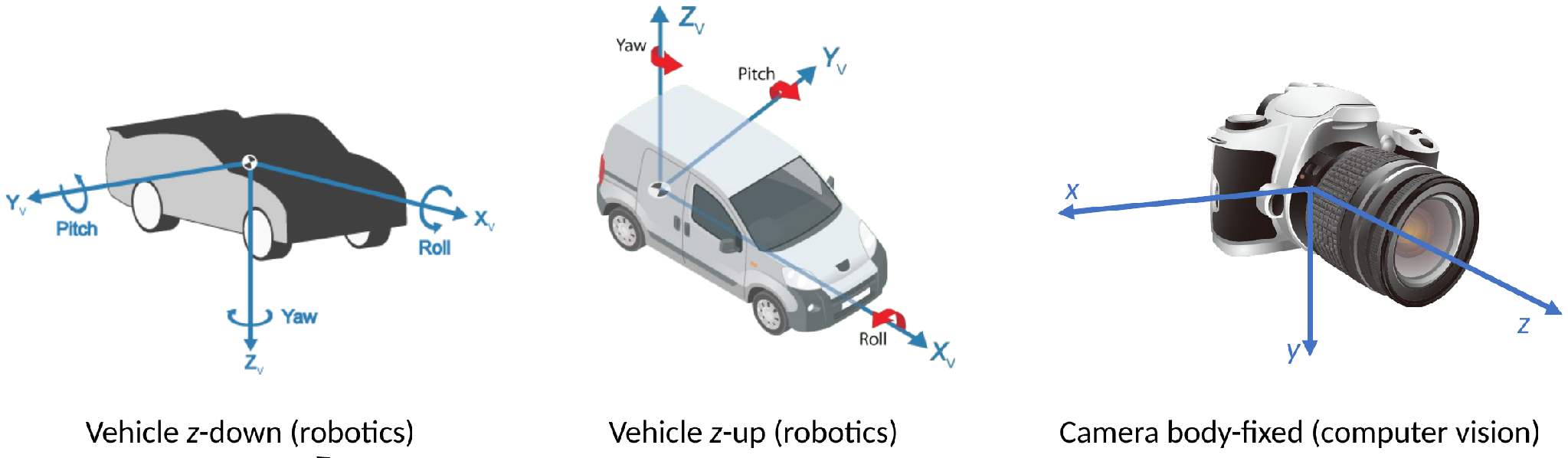
Common frame conventions, and they disagree
The first two are both used in MATLAB, inside the same toolbox.
Try it: one point, three conventions
The same numbers, x = [1, 2.5, 2.5], in three frame conventions. Drag to turn the view.
The first two are both used in MATLAB, inside the same toolbox. The faded dots are where the same numbers land in the other two conventions.
11
EECE 5550 Mobile Robotics
12
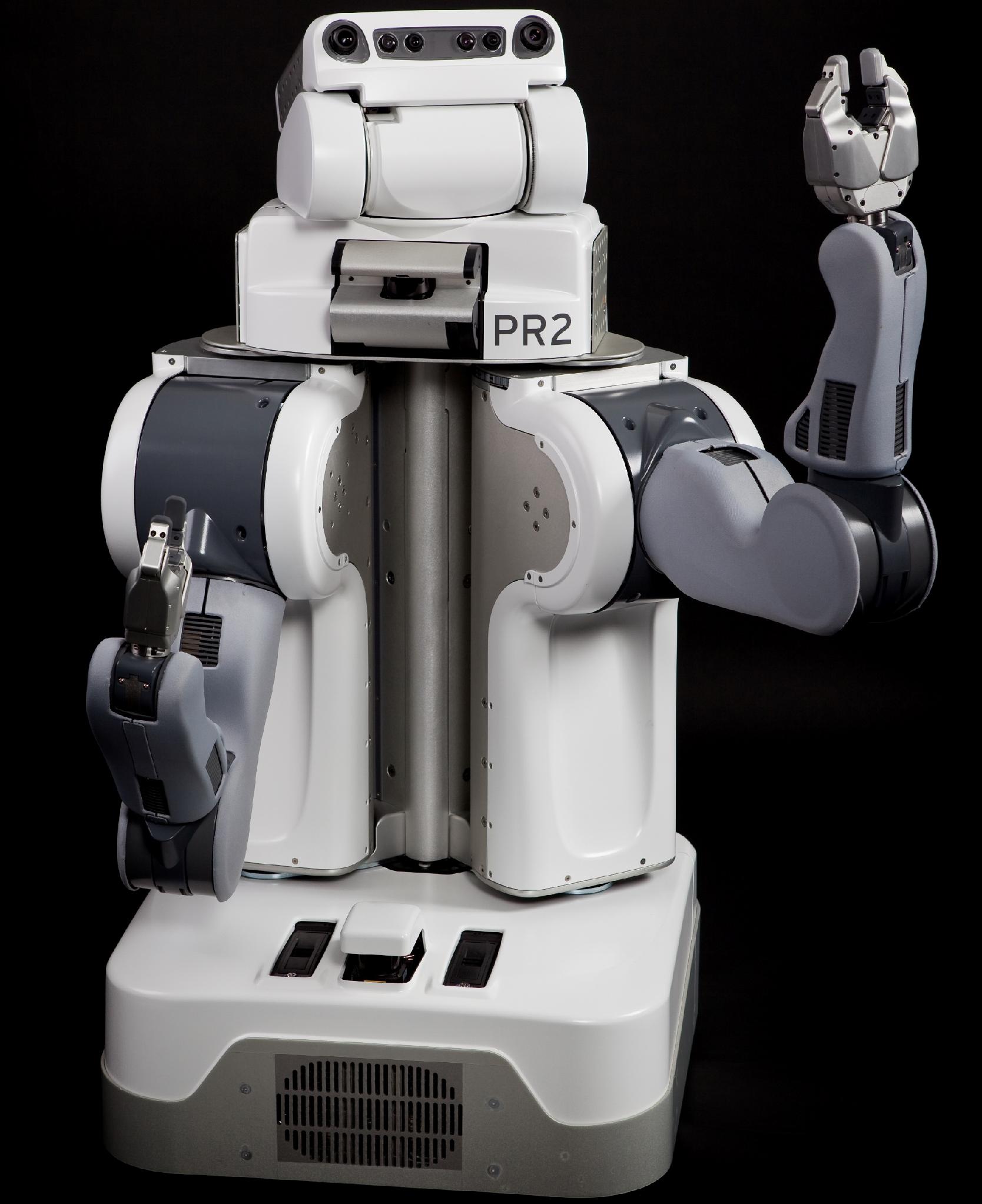
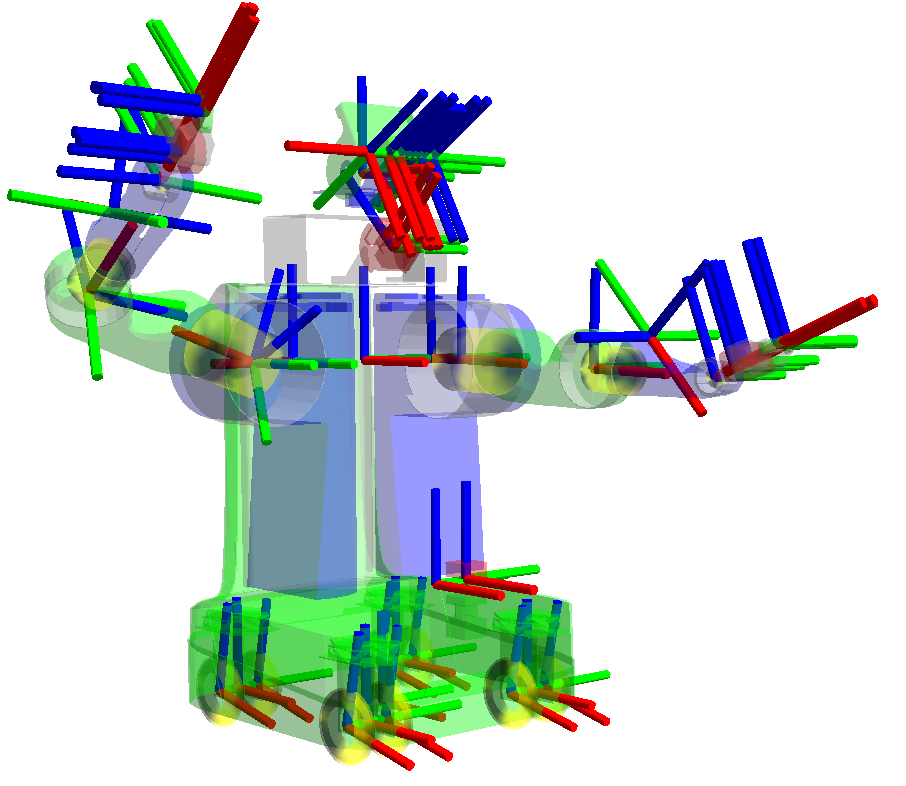
Coordinate frames on a real robot
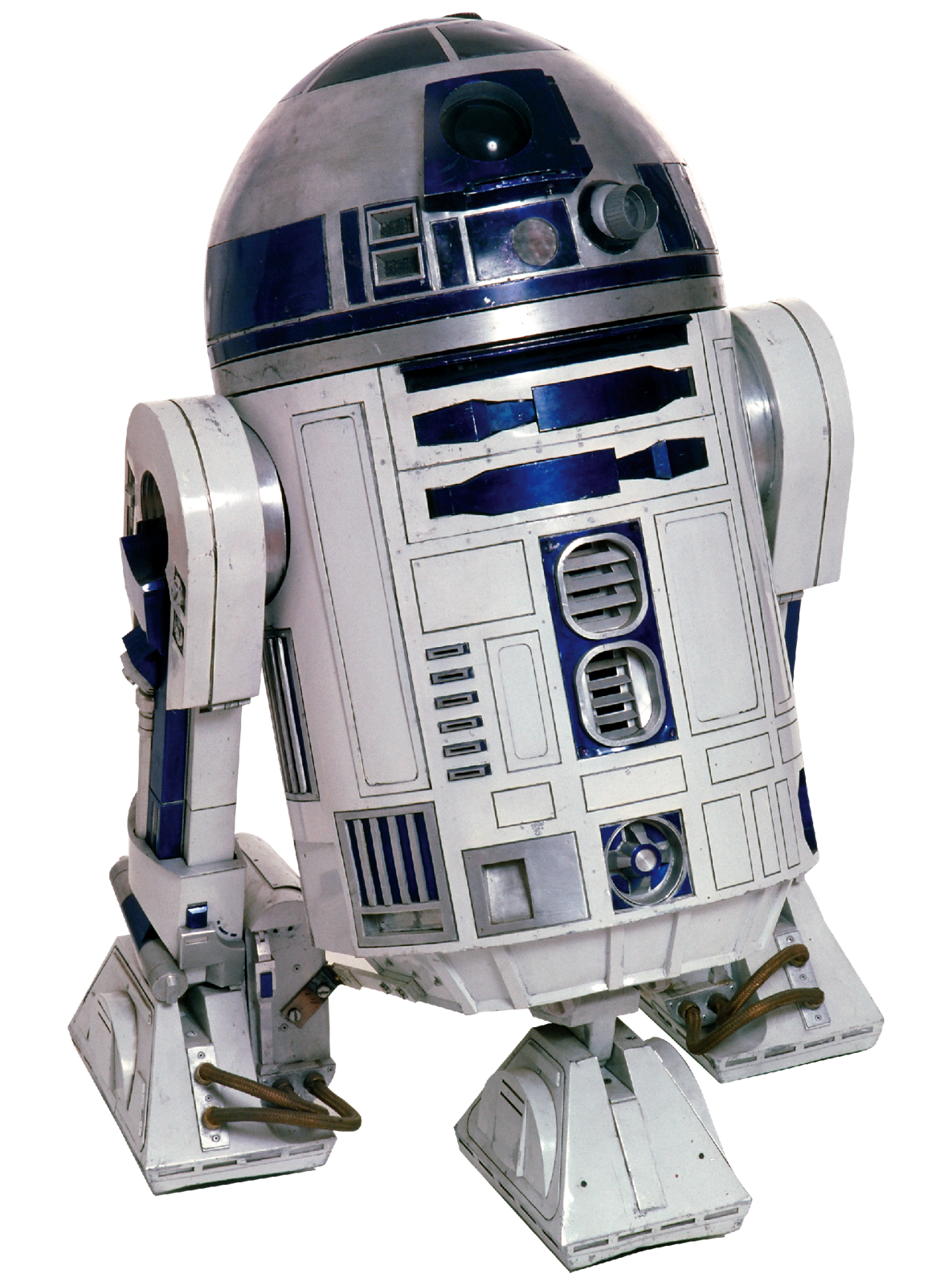
Willow Garage PR2
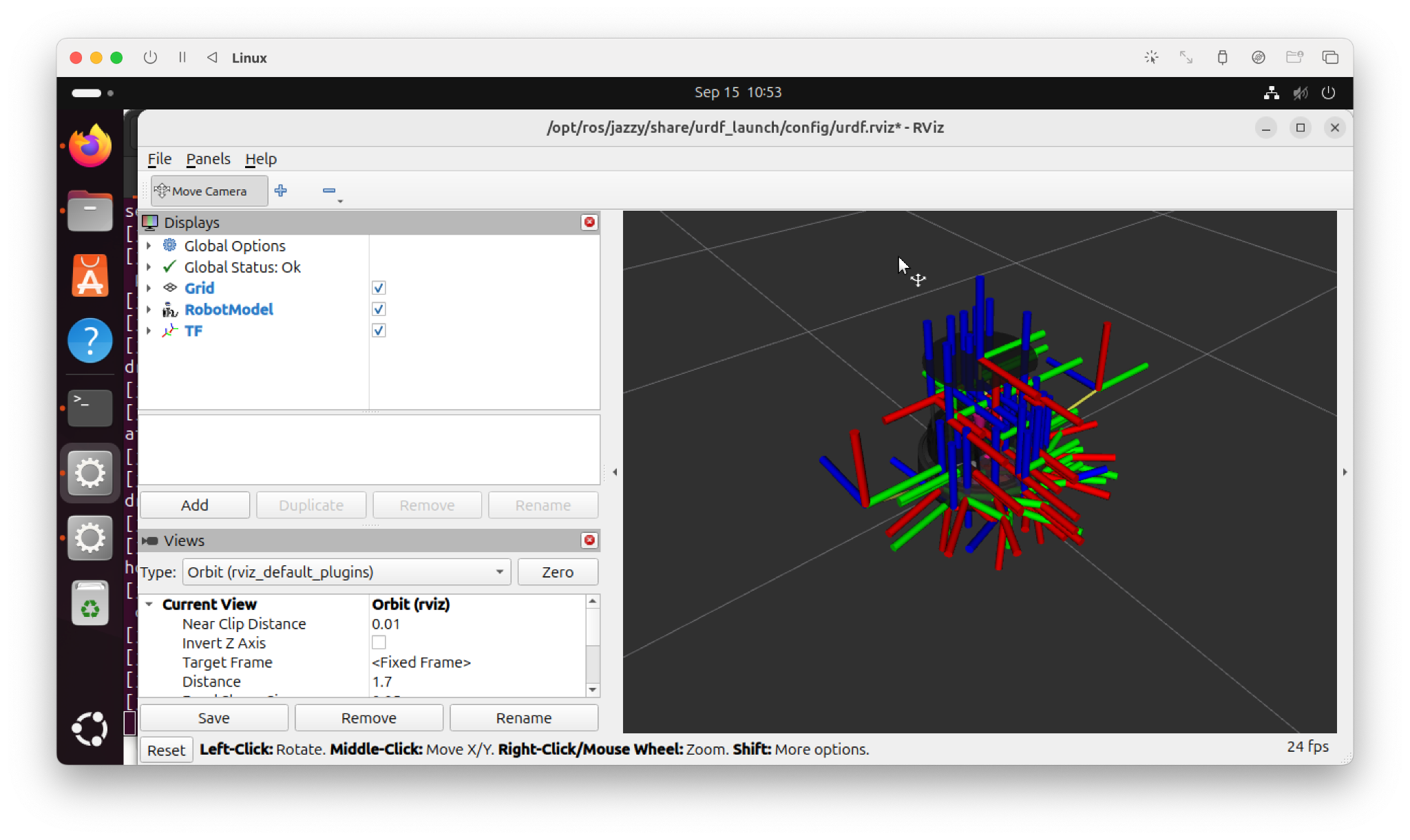
the same robot, frames drawn
EECE 5550 Mobile Robotics
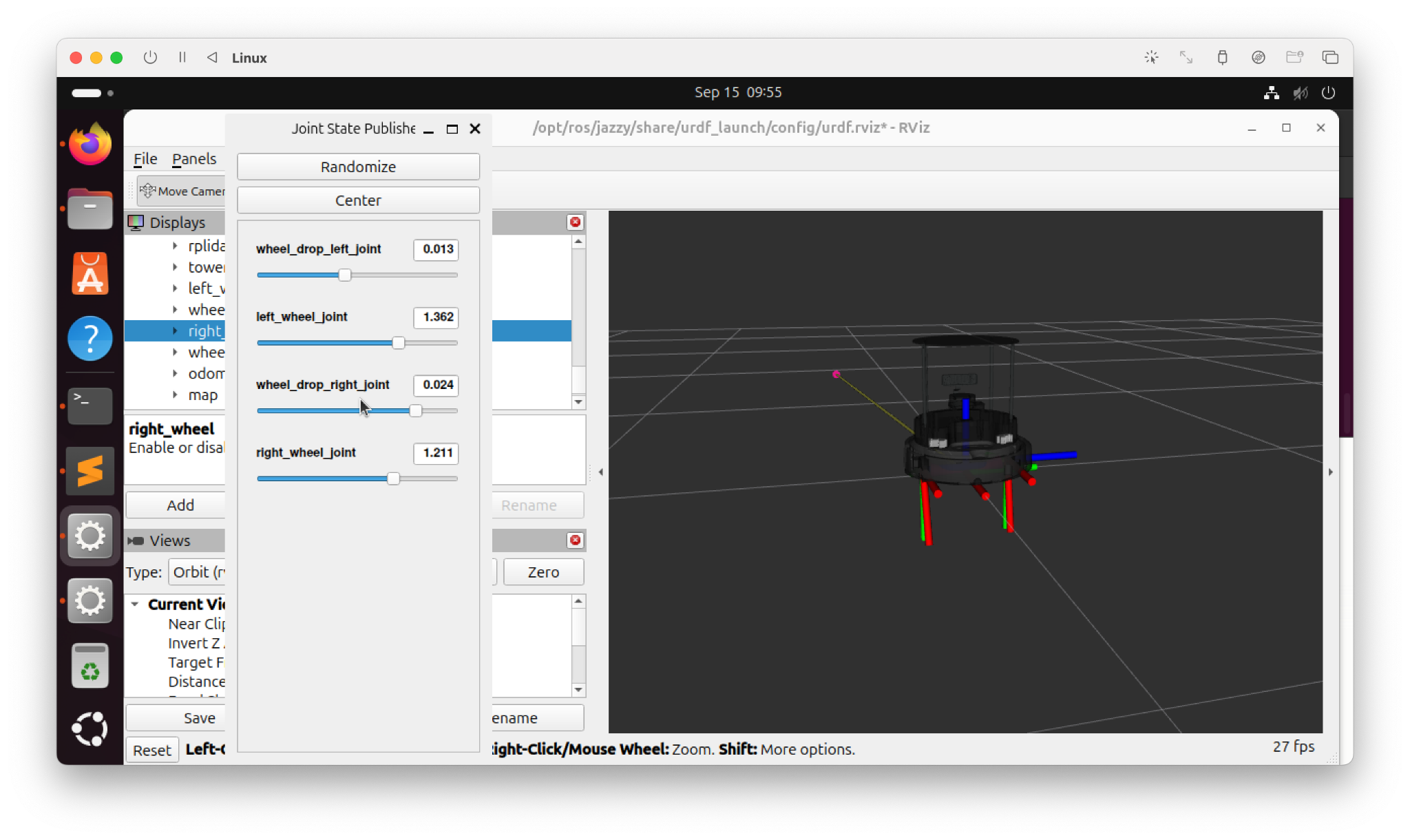
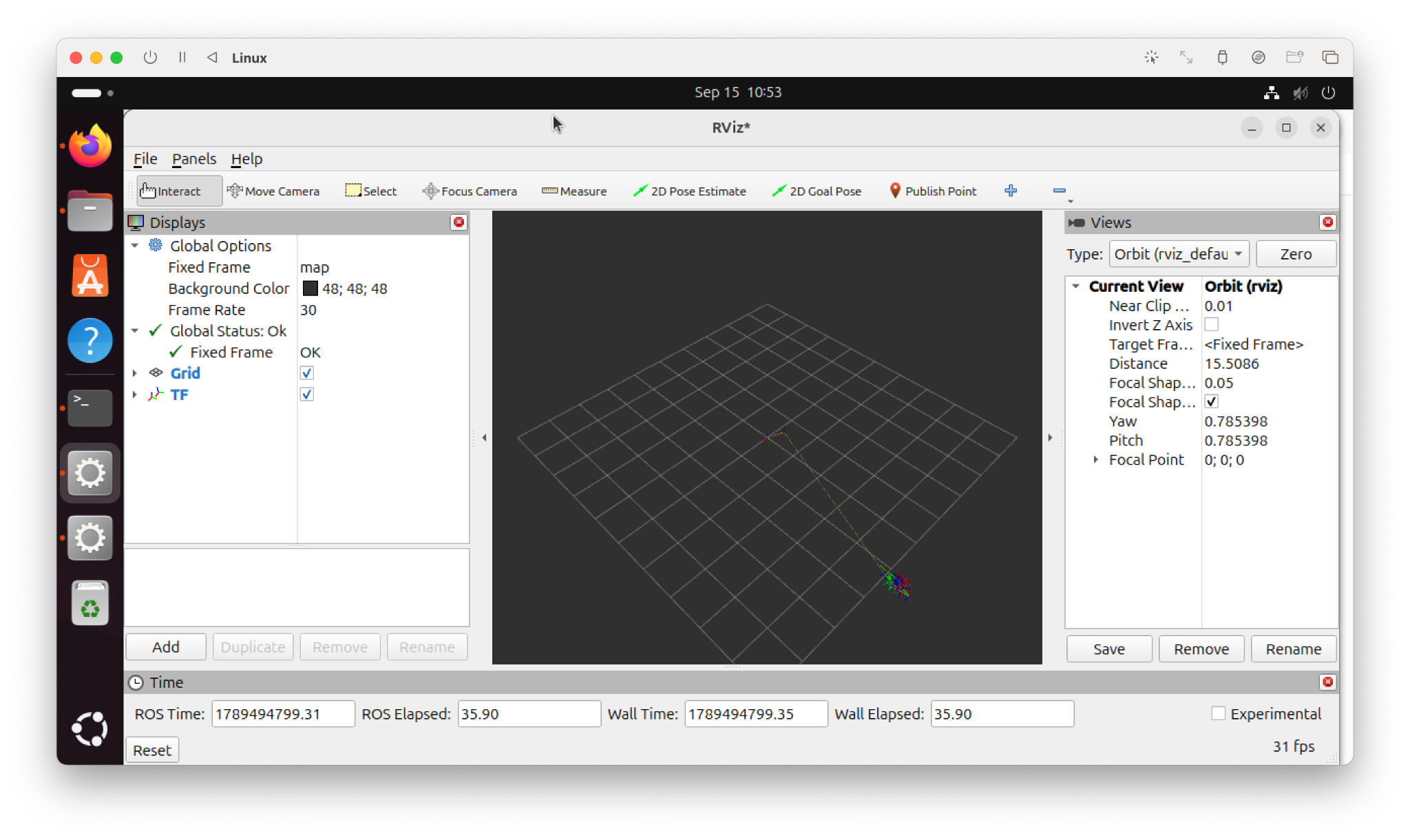
Demo #1: View Frames of TurtleBot 4 in RViz 2
EECE 5550 Mobile Robotics
13
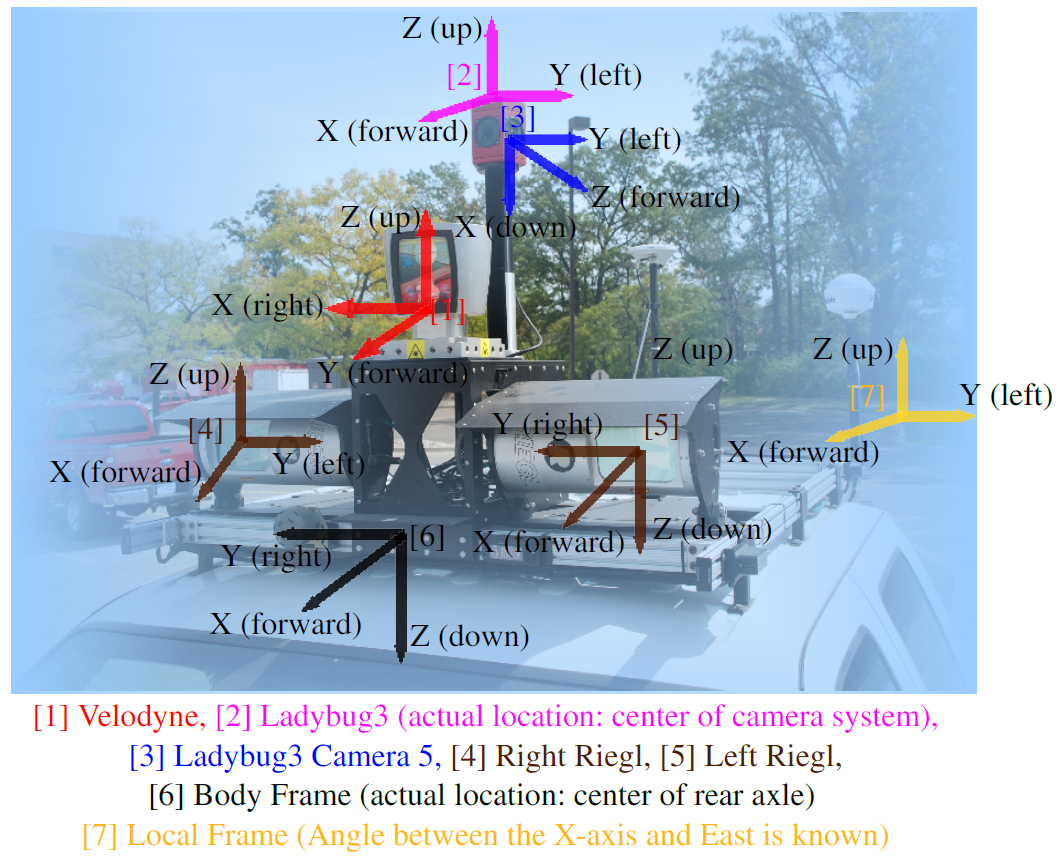
Every sensor, every link, every moving part
● Each has its own coordinate frame
● Each frame has a pose relative to some other frame
● Each of those poses is a chance to be wrong
That is a lot to keep track of by hand.
Pandey et al., Ford Campus Vision and Lidar Data Set
EECE 5550 Mobile Robotics
14
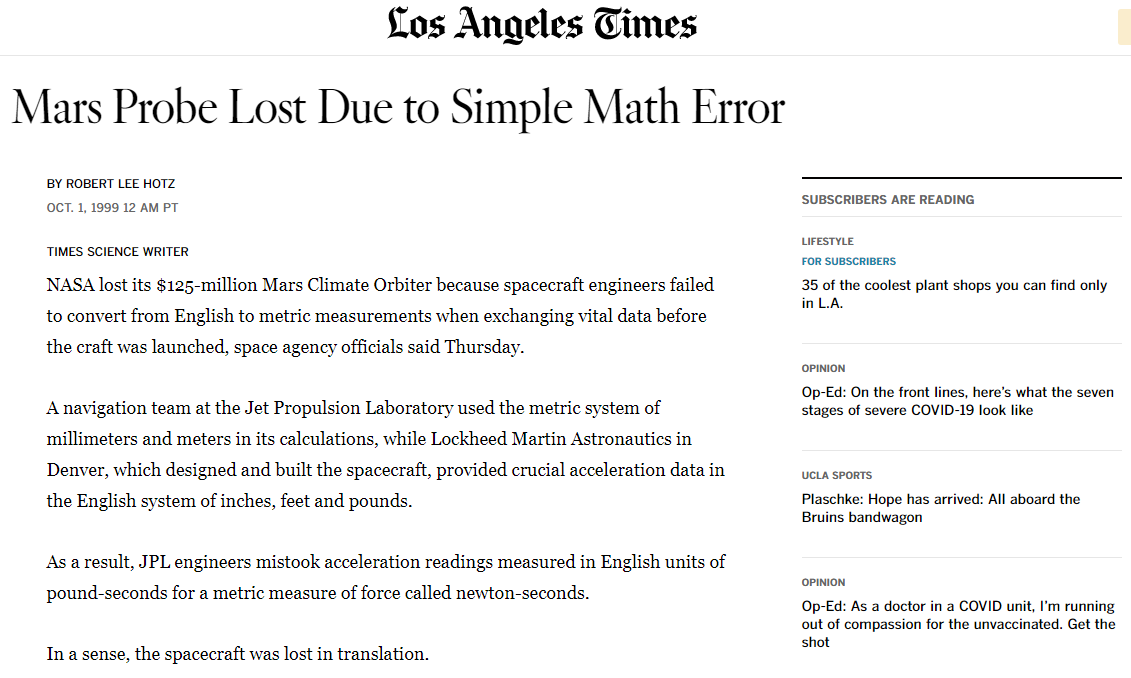
Do not let this happen to you
A unit and frame mismatch between two teams. $327 million, and the spacecraft was lost.
Three failures you will meet this term
All three are the same bug: a quantity used in the wrong frame.
Lab 1The robot drives 3 m and reports it is somewhere else.Odometry is a frame that drifts. 19 cm of error over 3 m, measured.
Lab 4The planner routes a path straight through a wall.The obstacle was placed using the wrong sensor frame.
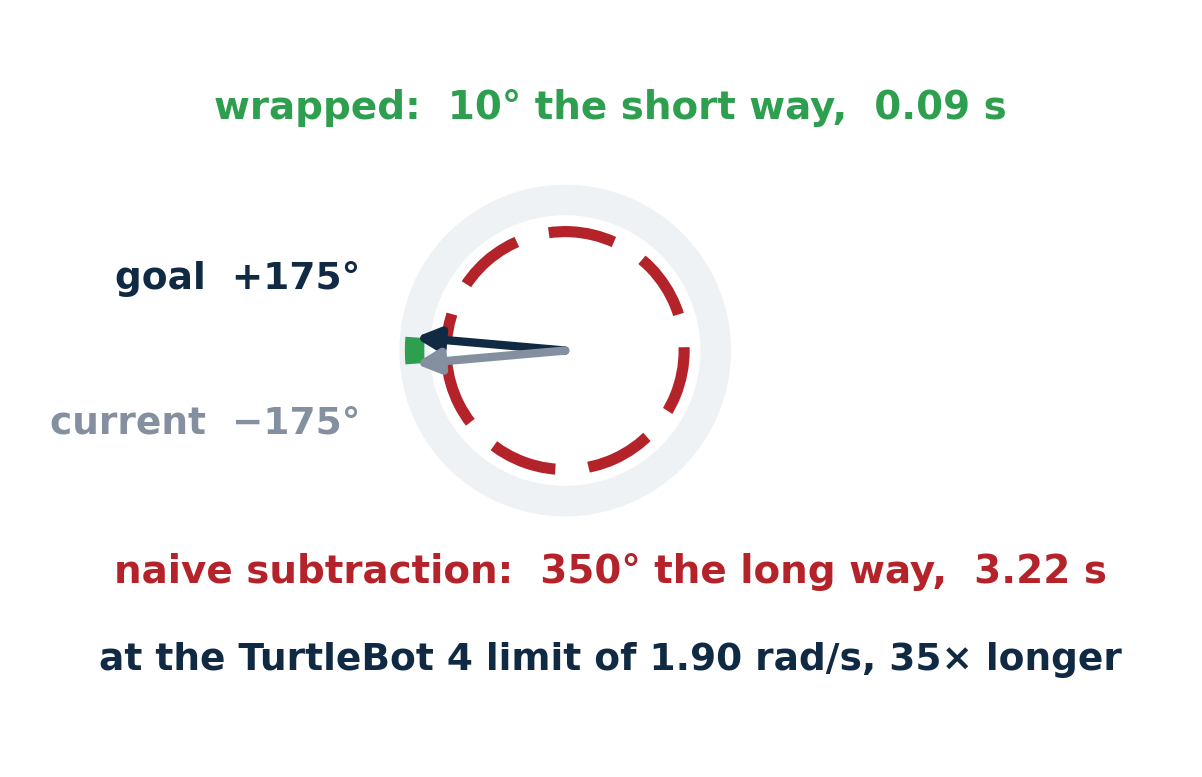
Lab 5The robot spins most of a full turn to fix a 10° error.An angle subtracted without wrapping.
16
EECE 5550 Mobile Robotics
16
Three rules for avoiding needless suffering
1. It must be absolutely clear what the reference frame is.
○ You can and should check this with a 3D plotting tool
2. Always draw a frame diagram.
3. Use notation that names all three things:
○ the object the property attaches to
○ the datum, or reference, for the property
○ the coordinate frame it is expressed in
In ROS 2 the same three things appear as
target_frame, source_frame, and the stamp
SECTION 2
Rotations
The smallest useful frame change, and the one that breaks intuition first.
EECE 5550 Mobile Robotics
18
Rotation in the plane
SO(2)
● Columns are orthonormal, so RᵀR = I
● det R = +1, which rules out reflections
● The inverse is the transpose, and it is free
EECE 5550 Mobile Robotics
20
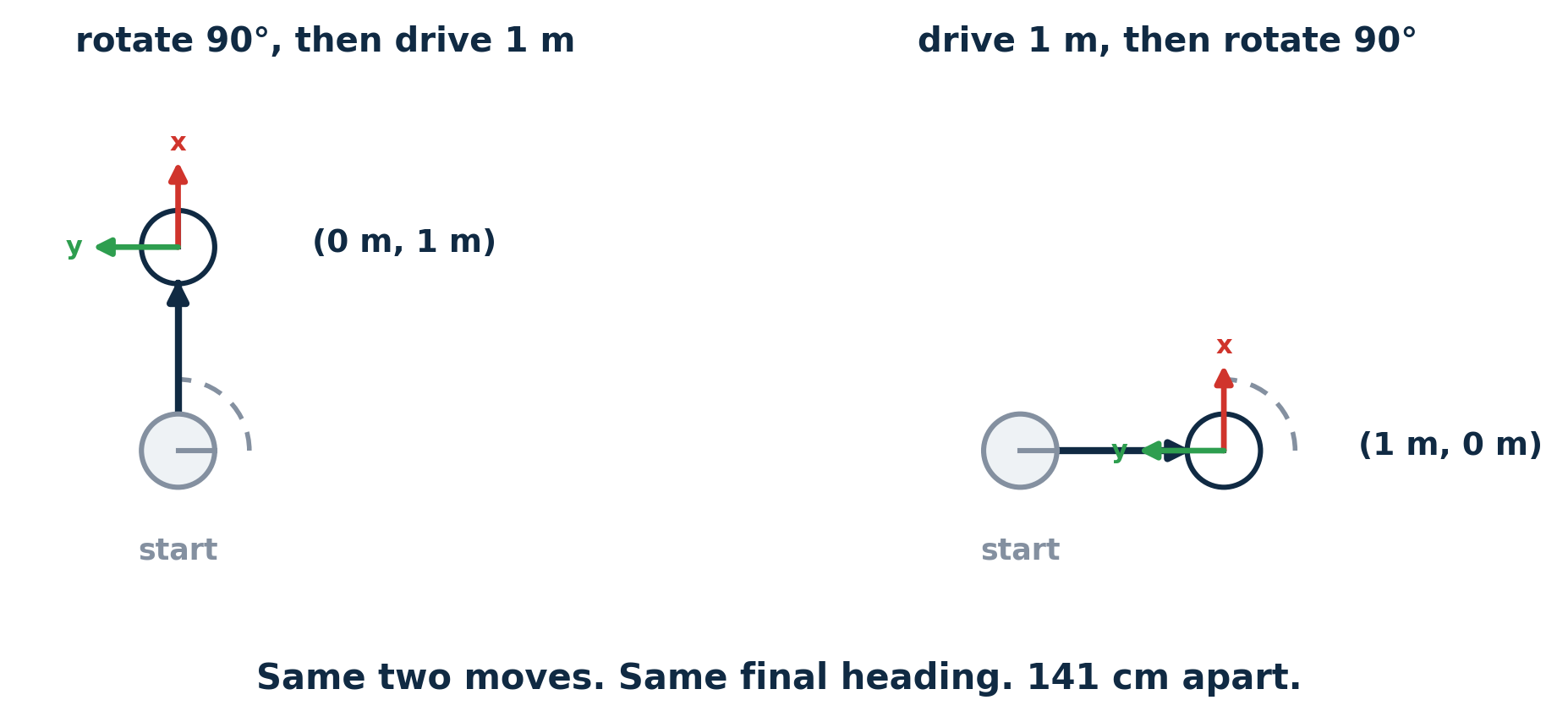
Rotations do not commute
Order is part of the answer. R₁R₂ and R₂R₁ are different rotations.
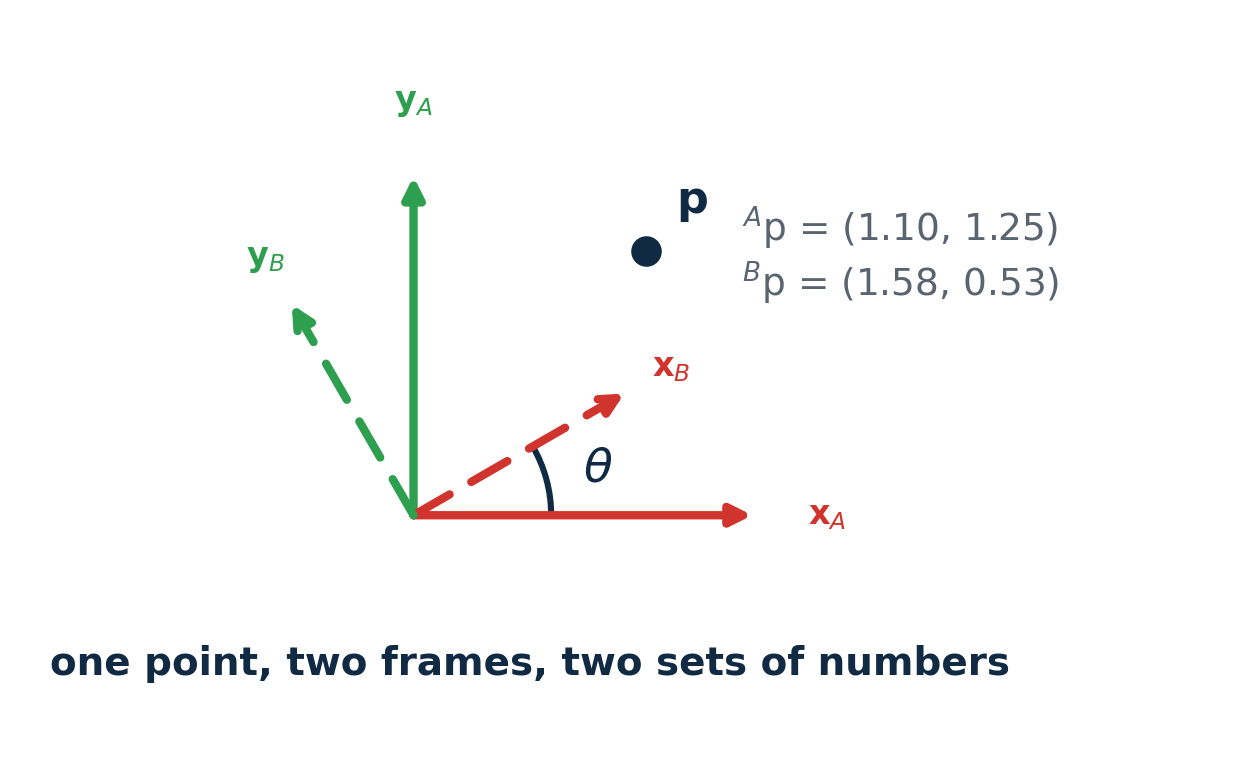
Try it: rotation in the plane, and order
Left: one point, two frames. Right: the same two moves in either order.
21
SECTION 3
Homogeneous transforms
Rotation and translation in one object, so chains of frames compose by multiplication.
EECE 5550 Mobile Robotics
22
One matrix for rotate and move
SE(2)
● The bottom row is not decoration.
● With it, a point is (x, y, 1) and a direction is (x, y, 0)
● Directions ignore translation, which is what you want for a velocity or a ray
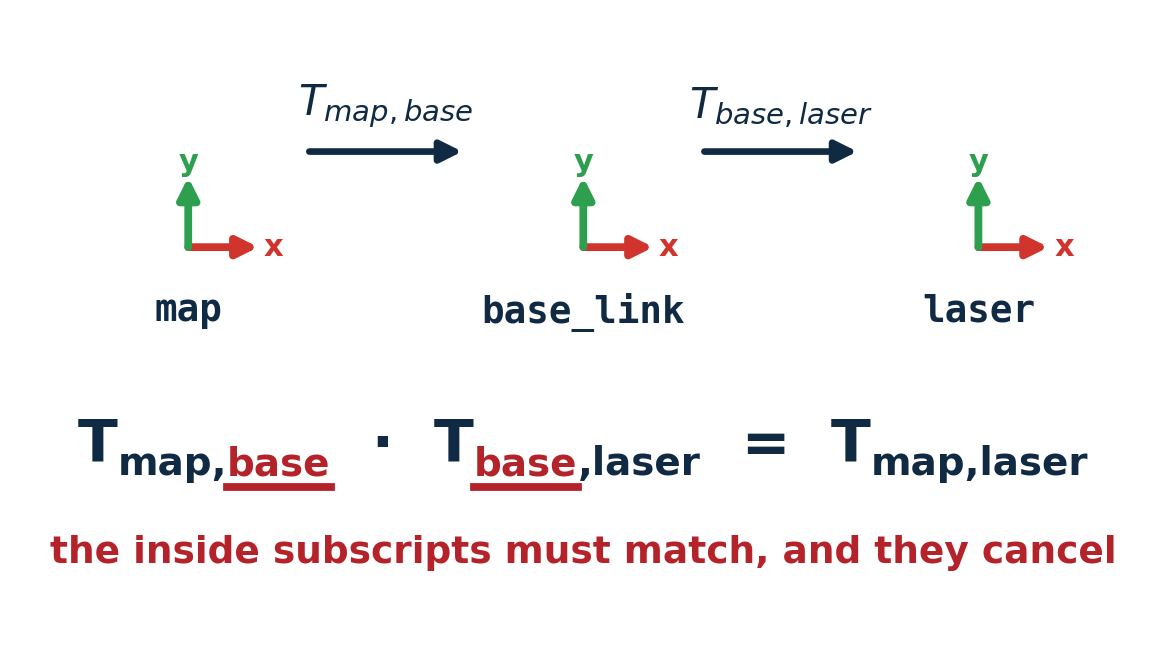
● And chains of frames compose by plain matrix multiplication
EECE 5550 Mobile Robotics
23
Reading a transform out loud
In tf2 the argument order is lookup_transform(target, source, time), which is the reverse of how most people say it.
EECE 5550 Mobile Robotics
24
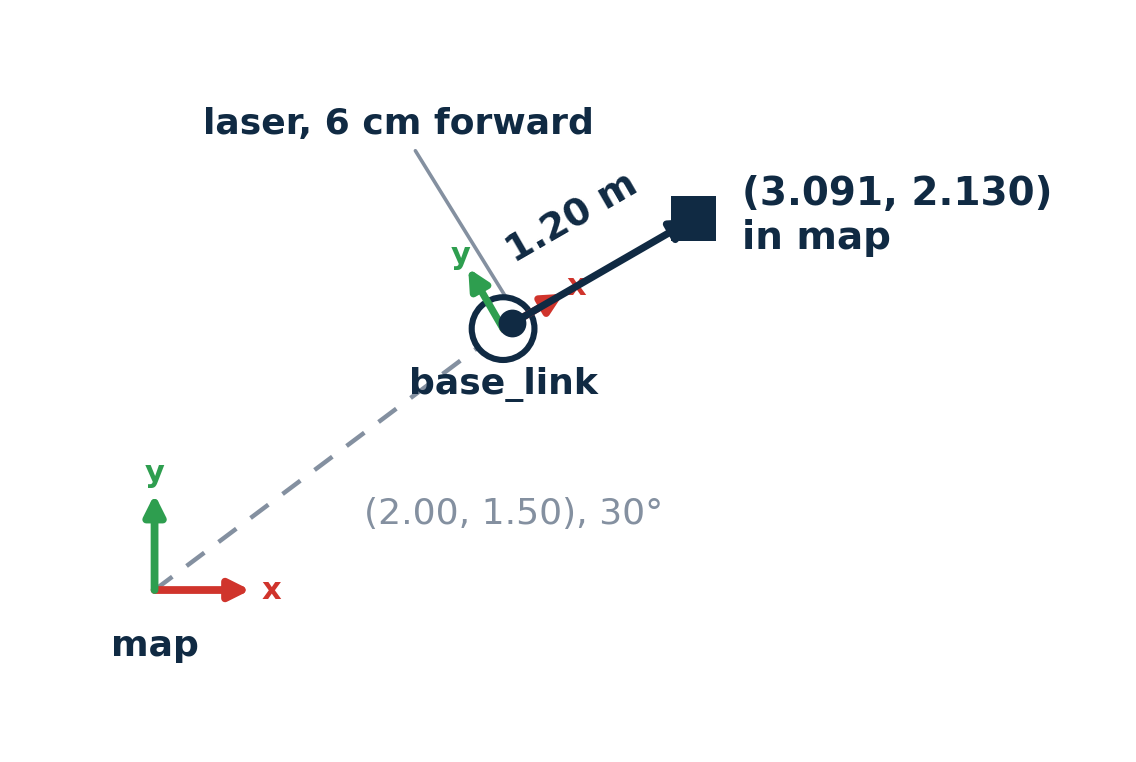
Composition, worked
the whole computation
T_map_base R(30°), t=(2.00, 1.50)
T_base_laser R(0°), t=(0.06, 0.00)
p_laser (1.200, 0.000)
p_map = T_map_base
· T_base_laser
· p_laser
= (3.091, 2.130)
EECE 5550 Mobile Robotics
25
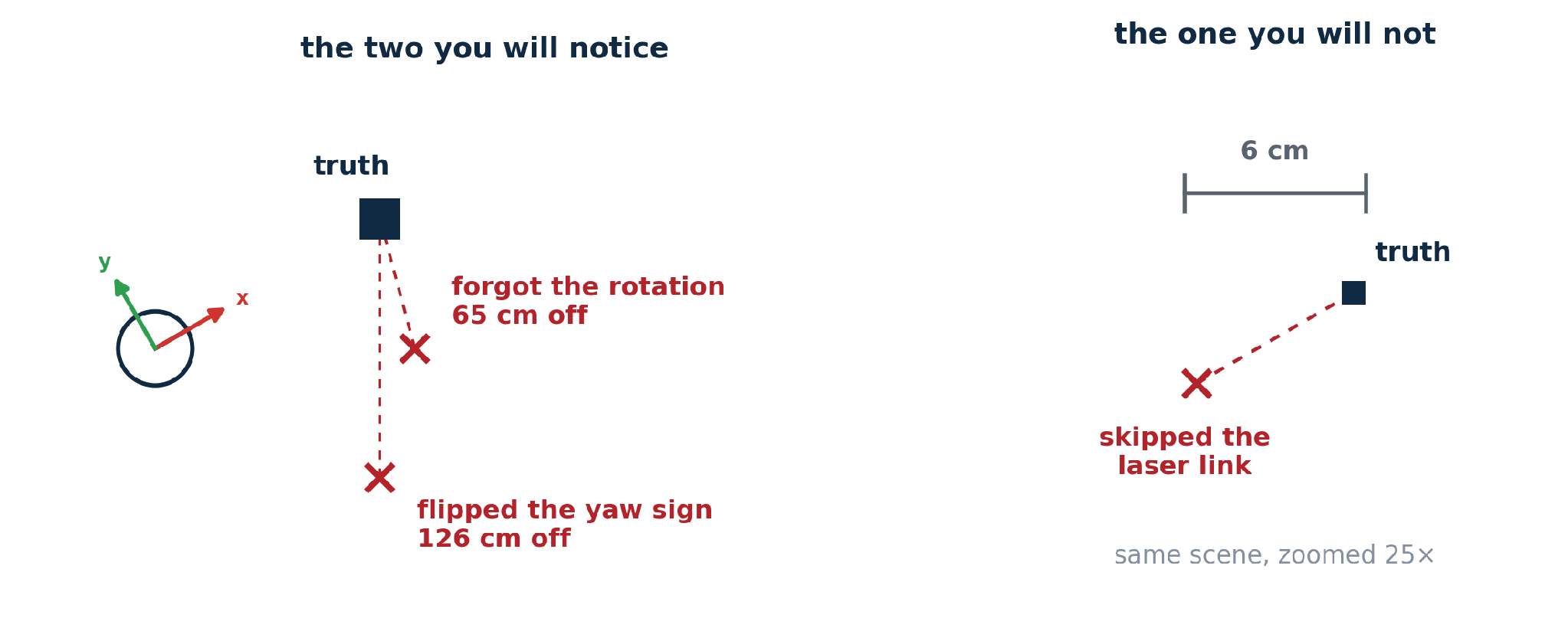
The same chain, one thing wrong
Two of these you would catch in a demo. The third quietly poisons the costmap.
EECE 5550 Mobile Robotics
26
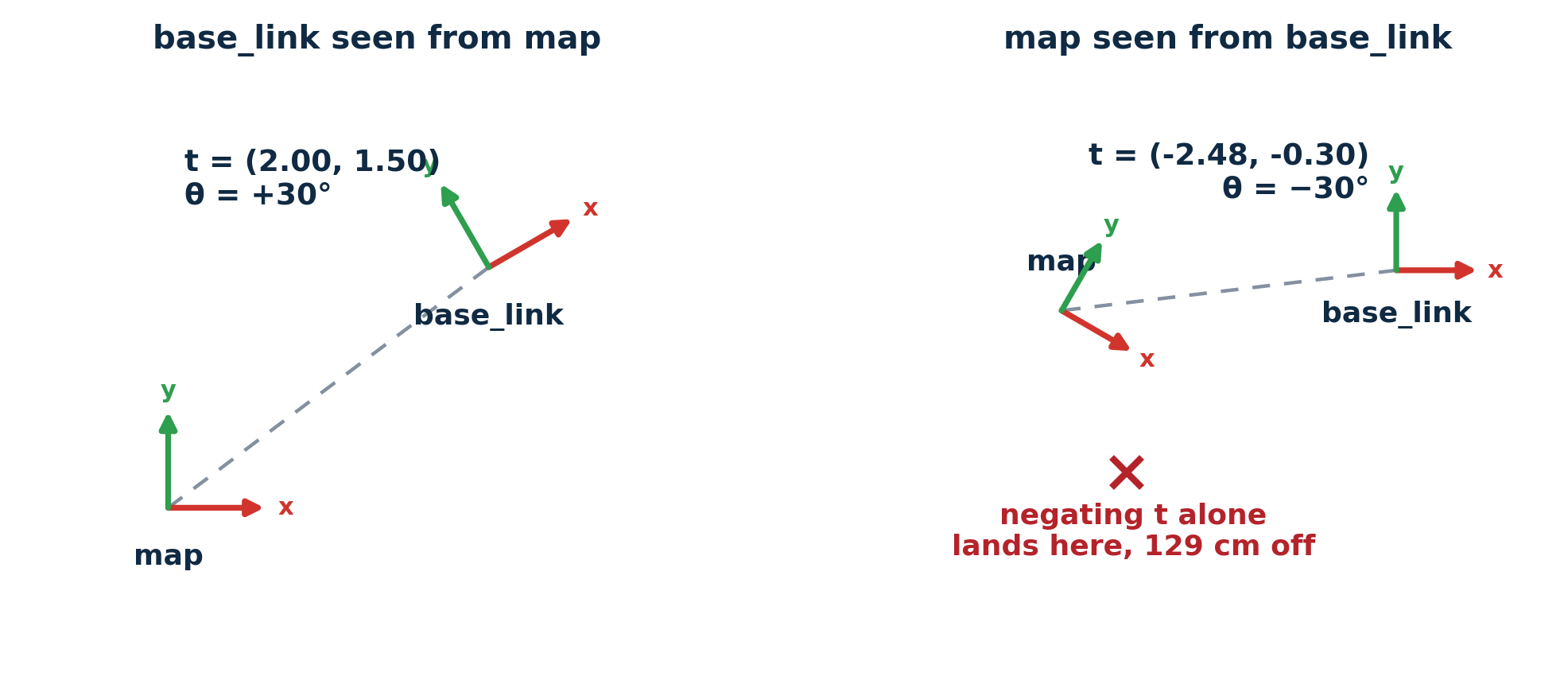
Inverting a transform
Try it: the frame chain
Move the robot, then break the chain. Every number comes from frames2d.py.
Python starts when the lecture gets close to this slide.
Python not started yet.
28
Break Time
5 Minutes
SECTION 4
Orientation in three dimensions
Where the convenient representation stops working, and what to use instead.
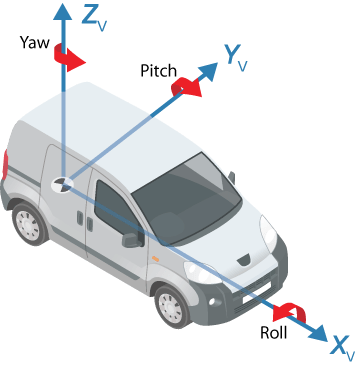
Euler angles: roll, pitch, and yaw
Three turns, one about each axis, describe any orientation.
Roll about x, forwardtips side to side
Pitch about y, leftnose up or down
Yaw about z, upturns left or right
The catchThe same three numbers give different rotations depending on the order of the turns, and on whether the axes move with the body. Libraries disagree, so check which one yours uses.
What you will actually useYaw alone, extracted from a quaternion and wrapped to (−π, π]. For a ground robot it is the one that matters.
31
EECE 5550 Mobile Robotics
30
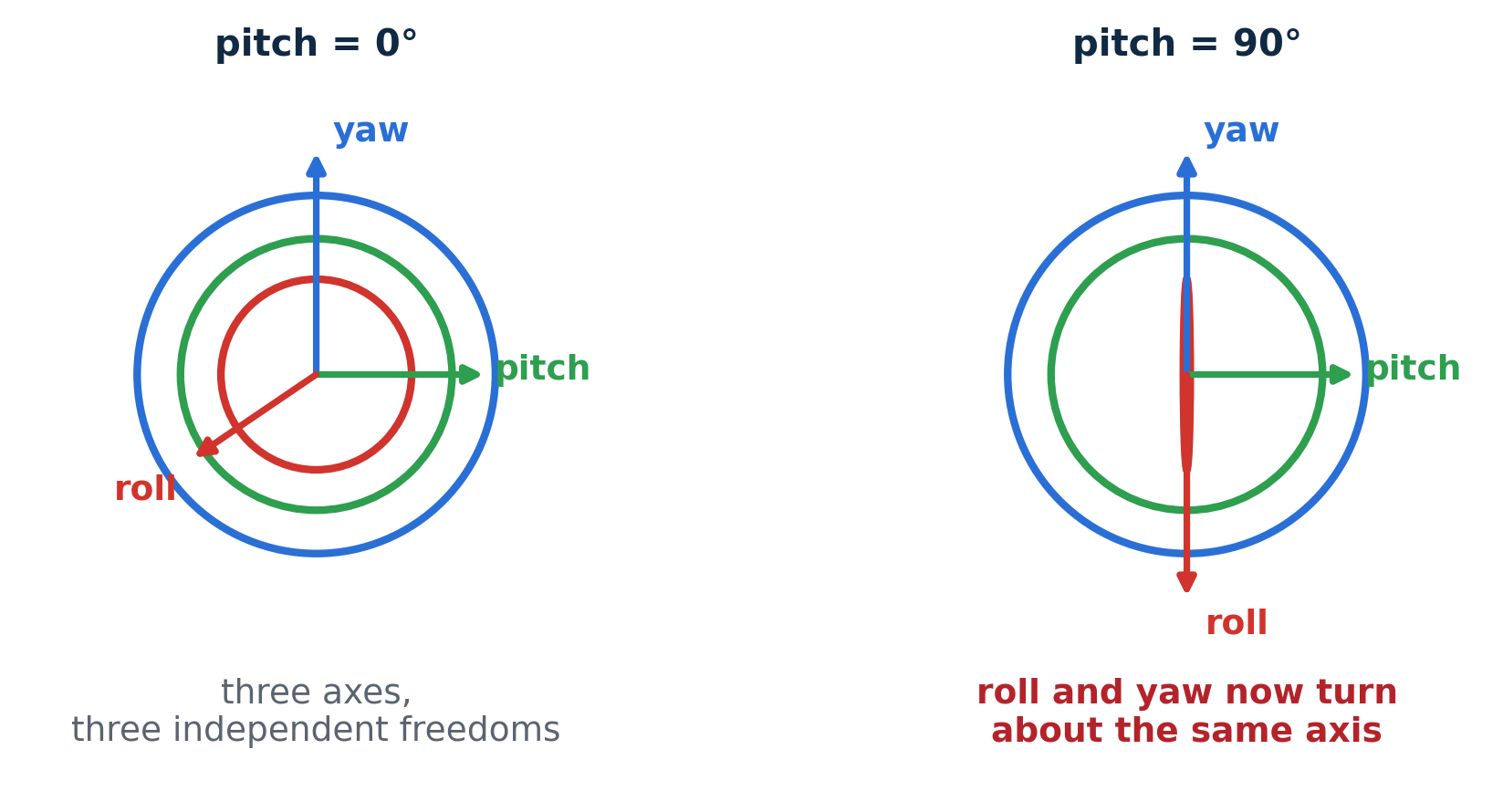
Gimbal lock, demonstrated
At pitch = 90° only (yaw − roll) survives. One degree of freedom is gone.
Try it: gimbal lock
Roll, pitch, and yaw as three nested rings. Take pitch to 90° and two rings become one.
33
Quaternions: the main idea
Any 3D rotation is one turn about one axis. A quaternion stores that turn in four numbers.
x, y, z: the axis, scaled by sin(θ/2) w: cos(θ/2) Note the half angle.
1
One axis, one angleEvery orientation, however it was reached, is a single turn θ about some axis n̂.
2
Four numbers, always unit lengthx² + y² + z² + w² = 1. Normalizing after arithmetic removes rounding drift, which a matrix cannot do as simply.
3
Rotate and compose by multiplying rotates a point p, where q* = (−x, −y, −z, w). q2q1 applies q1 first, then q2; as with matrices, the order matters.
4
Why robots use themNo gimbal lock, four numbers instead of nine, and smooth interpolation between two orientations.
● Wrap every angle difference before using it as an error
● Wrap after every addition of angles, not just once at the end
● The result lands in (−π, π], which is the ROS convention
Try it: quaternions and the wrap trap
angles.py: yaw_from_quaternion and wrap, the two functions you write in Lab 1.
A heading, stored as a quaternion
x
y
z
w
naive goal − currentwrap(goal − current)
Drag the goal or the current heading. At the TurtleBot 4 limit of 1.90 rad/s, the naive error turns the long way; wrap turns the short way.
Python starts when the lecture gets close to this slide.
Python not started yet.
38
SECTION 5
Frames in ROS 2
Two documents settle most of the arguments: REP-103 and REP-105.
REP-103: units and axes
Right-handed, and SI throughout: metres, radians, seconds, kilograms.
x forward, y left, z up. Right-handed, always.
Angles in radians, distances in metres, time in seconds
Angular velocity is positive counter-clockwise about z
Camera frames are the documented exception: z forward, x right, y down
40
REP-105: the frame tree
The standard frames of a mobile robot, and who publishes each link.
A tree, not a graph. One parent per link, and no cycles.
41
Try it: the frame tree
Click a source frame, then a target frame, to see the lookup and the path it takes.
42
EECE 5550 Mobile Robotics
37
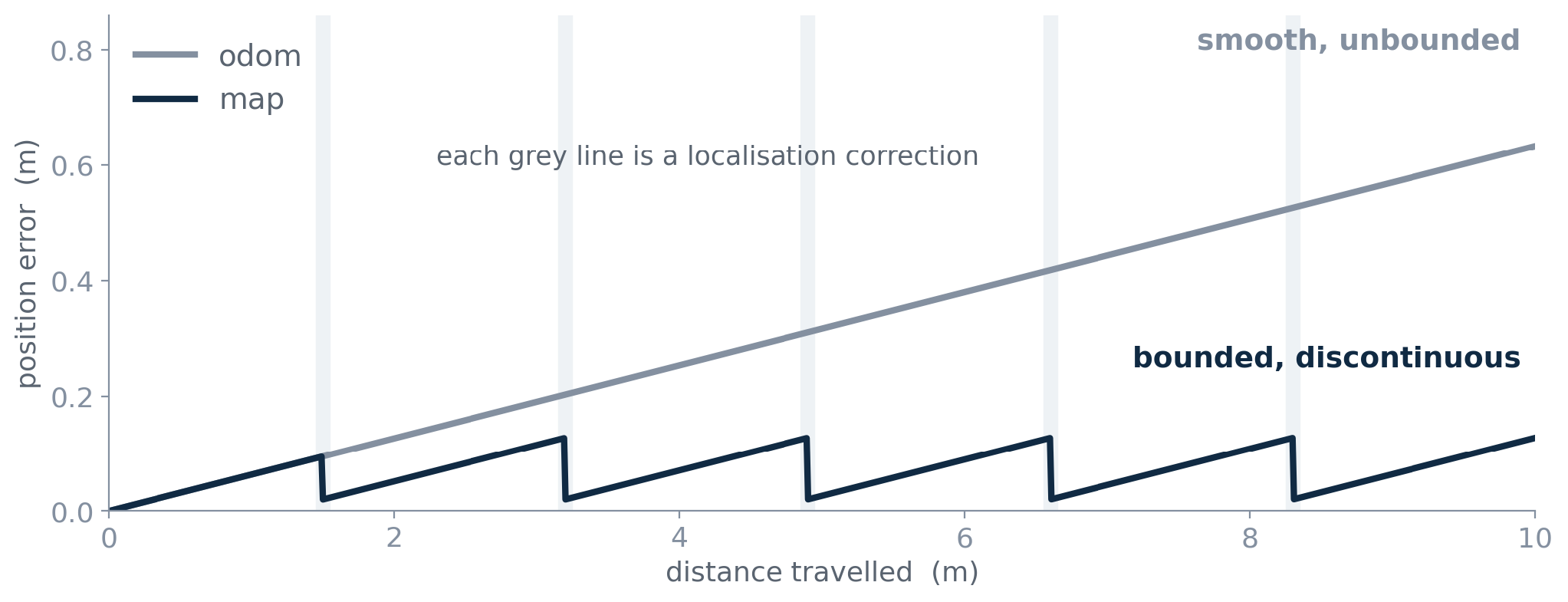
Why have both map and odom frames?
odom continuous and smooth, but the error grows without bound
map does not drift, but corrections arrive as jumps
Try it: why both map and odom
Odometry drifts smoothly; localization corrects in jumps; map to odom absorbs them.
▬ true path▬ base_link in odom▬ base_link in map
44
EECE 5550 Mobile Robotics
38
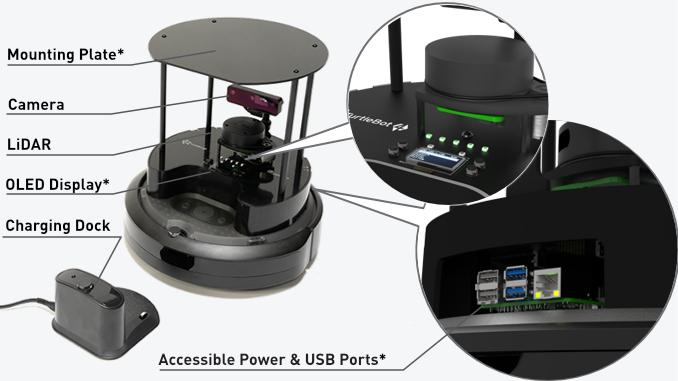
The frames on your TurtleBot 4
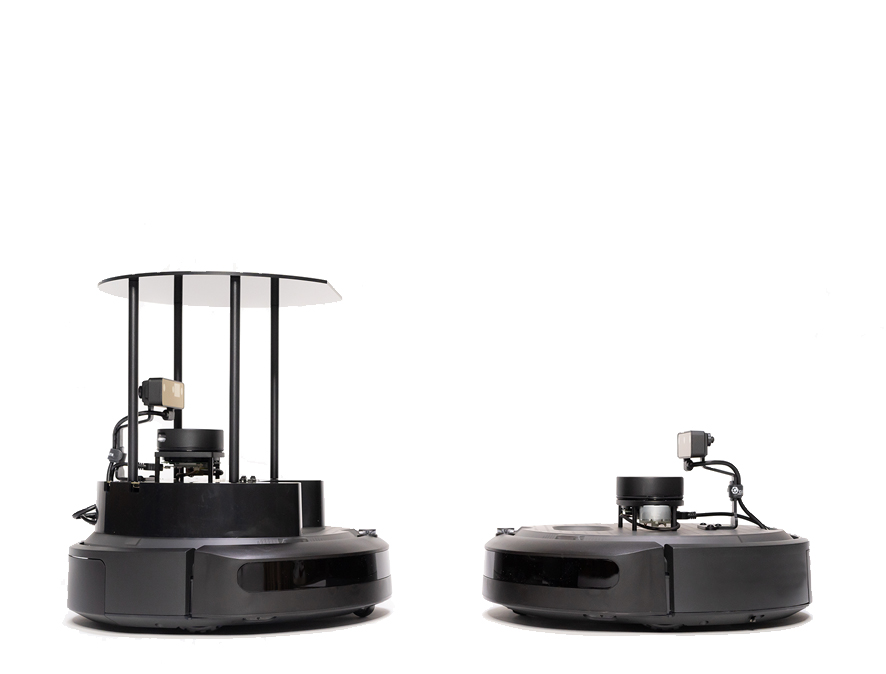
Every labelled component on this robot is a frame in the tree on the previous slide.
EECE 5550 Mobile Robotics
Demo #2: View Frames of TurtleBot 4 in RViz 2
SECTION 6
TF2 in practice
Four commands, and the three ways a frame tree breaks.
EECE 5550 Mobile Robotics
Demo #3: view_frames on a running robot (TurtleBot 4 Simulator)
EECE 5550 Mobile Robotics
40
Four commands worth memorising
terminal
$ros2 run tf2_tools view_frames
writes a PDF of the whole tree, with publish rates
terminal
$ros2 run tf2_ros tf2_echo map base_link
prints one transform, live
terminal
$ros2 run tf2_ros tf2_monitor
shows delays and which node publishes what
RViz
Add the TF display
the same tree, drawn on the robot
Try it: three ways the tree breaks
Break the tree, then click two frames to try a lookup across it.
50
EECE 5550 Mobile Robotics
43
Where this sits: sense, think, act
● Sense: process sensor data into a model of the world
● Think: plan a route from the current state to the goal
● Act: drive the actuators to execute the plan
All three need a frame. Today was the layer underneath all of them.
Next: kinematics and motion models
THINK
ACT
SENSE
What to take away
The one habitAsk “in what frame?” before answering any question about where something is.
1Everything is relative
A coordinate means nothing until you name its frame. Write down the object, the reference, and the frame, and draw the frame diagram.
2Rotations
R is orthonormal with det R = +1, so its inverse is free: R−1 = RT. Order matters: R1R2 ≠ R2R1.
3Homogeneous transforms
Chains multiply and the inside subscripts cancel: Tmap,laser = Tmap,base Tbase,laser. The inverse translation is −RTt, not −t.
4Orientation in 3D
Euler angles lose a degree of freedom at pitch ±90°. Store quaternions (x, y, z, w); q and −q are the same. Read yaw, then wrap every angle difference.
5Frames in ROS 2
REP-103: x forward, y left, z up, SI units. REP-105: map → odom → base_link, one parent per link. Control in odom, plan in map.
6TF2 in practice
lookup_transform(target, source, time). Check the tree with view_frames, tf2_echo and tf2_monitor. It breaks three ways: a missing link, two publishers, a stale timestamp.